Enter your activation code to receive an official Google Family invite.
Enter your activation key to verify your YouTube Premium plan.
Enter your Google account email where you want to receive the invite.
Open Gmail, accept the official Family invitation, and enjoy YouTube Premium!
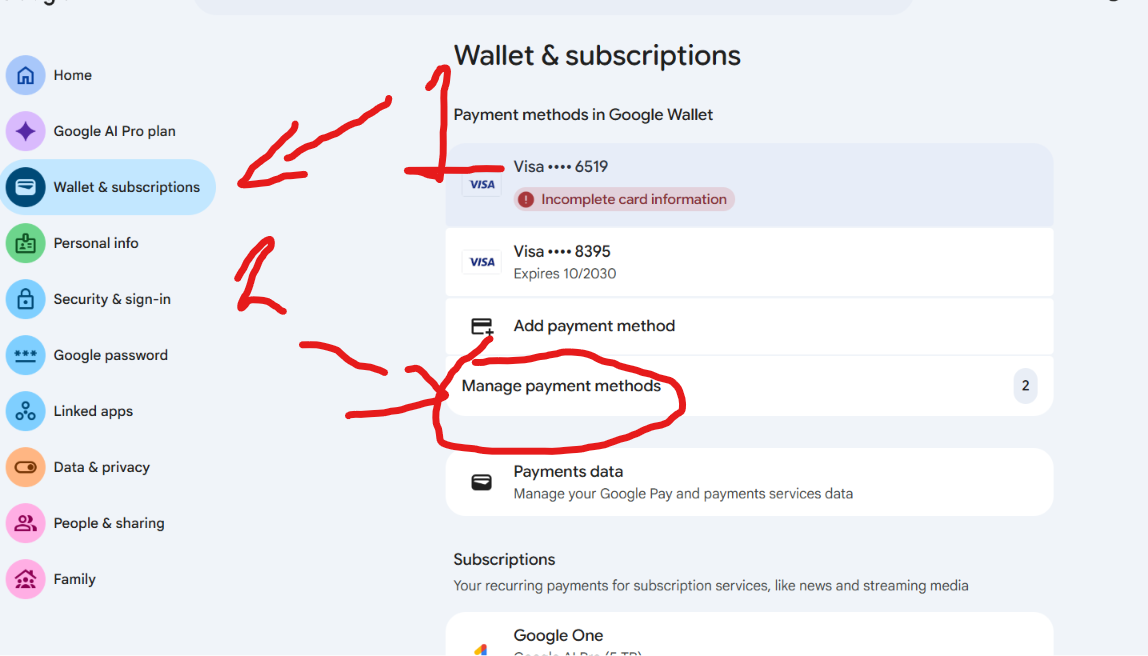
Go to your Google Account / Google Wallet (pay.google.com), select "Wallet & subscriptions" (or Payments & subscriptions) on the left, and click "Manage payment methods".
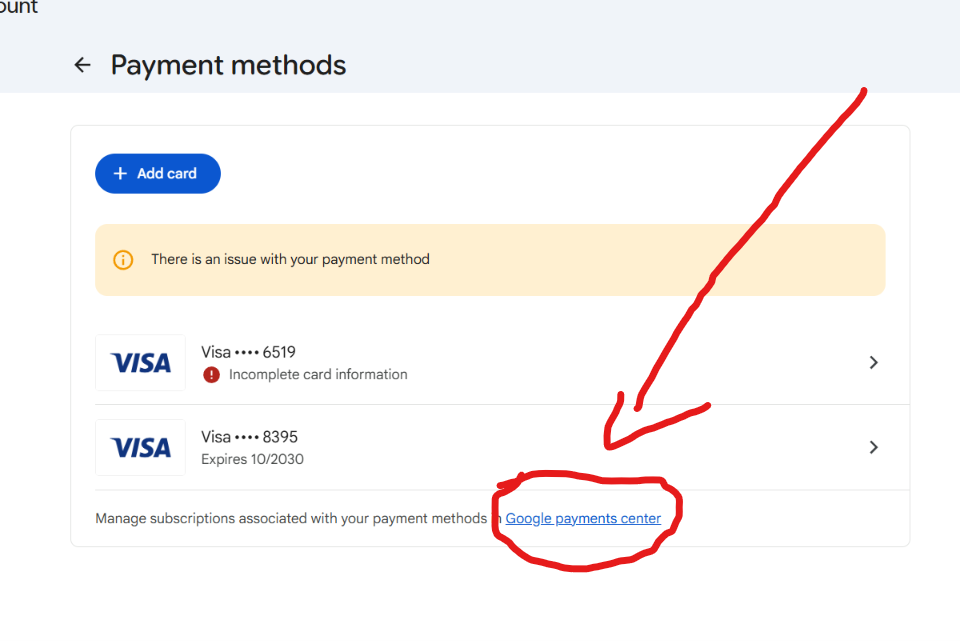
Click to enlargeUnder your payment methods, scroll down and click the link for "Google payments center" (or go directly to pay.google.com).
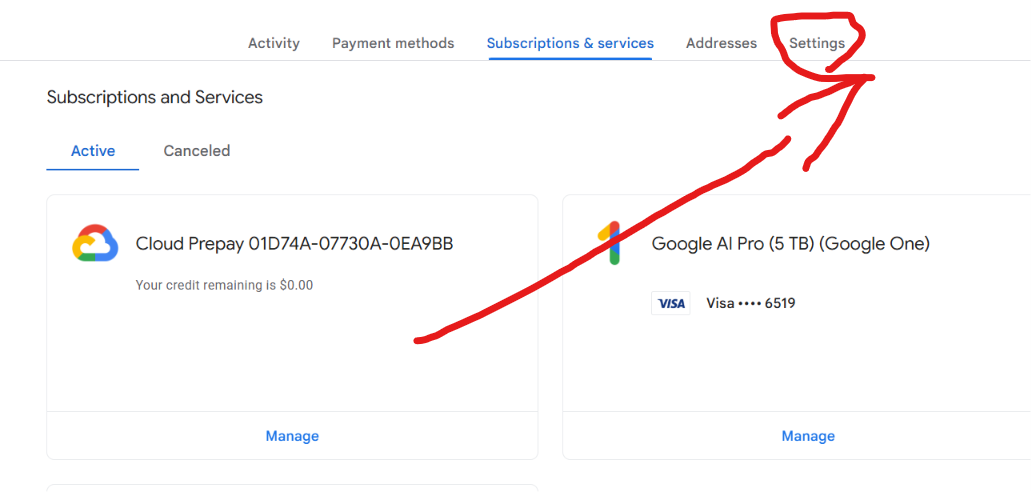
Click to enlargeInside Google payments center, click on the "Settings" tab in the top menu bar.
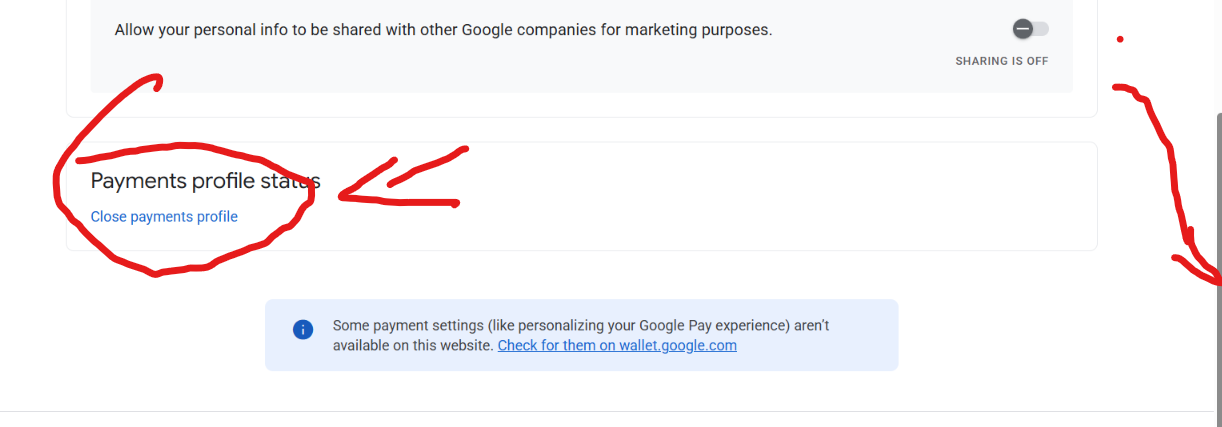
Click to enlargeScroll all the way down to the bottom of the Settings page to "Payments profile status", and click "Close payments profile".
Click to enlarge
When asked for a reason to close your profile:
👉 Select reason: "I don't want to give any reason" (or "I don't want to give a reason")
Then click Continue / Close profile.